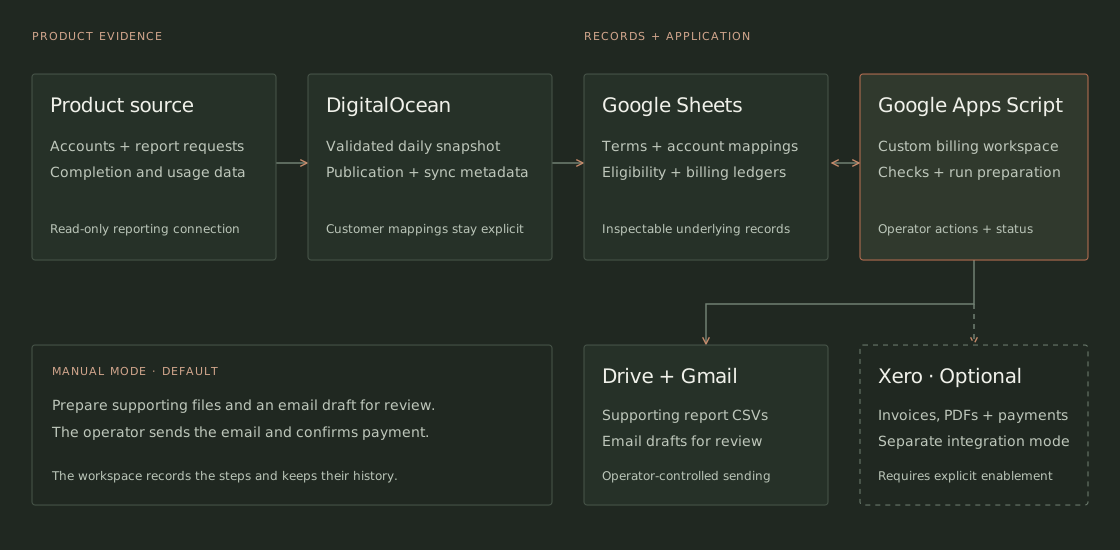
Connect accounts to agreements.
Product accounts and billing customers are not always the same. Explicit mappings connect them, while customer terms and included allowances determine which completed reports are eligible.
Client project · Billing operations
A workspace for reviewing eligible charges, preparing supporting records, and tracking the next billing action.
Client project
Workflow design and application development
The problem
For a lender-reporting business, completed work has to be matched to customer agreements, included allowances, and prior billing. I helped design and build a workspace that brings those inputs together for the operator.
The useful question is what can be billed, to whom, and on what basis. A count of completed reports alone cannot answer that. The application connects usage with the commercial relationship and the history of what has already been allocated.
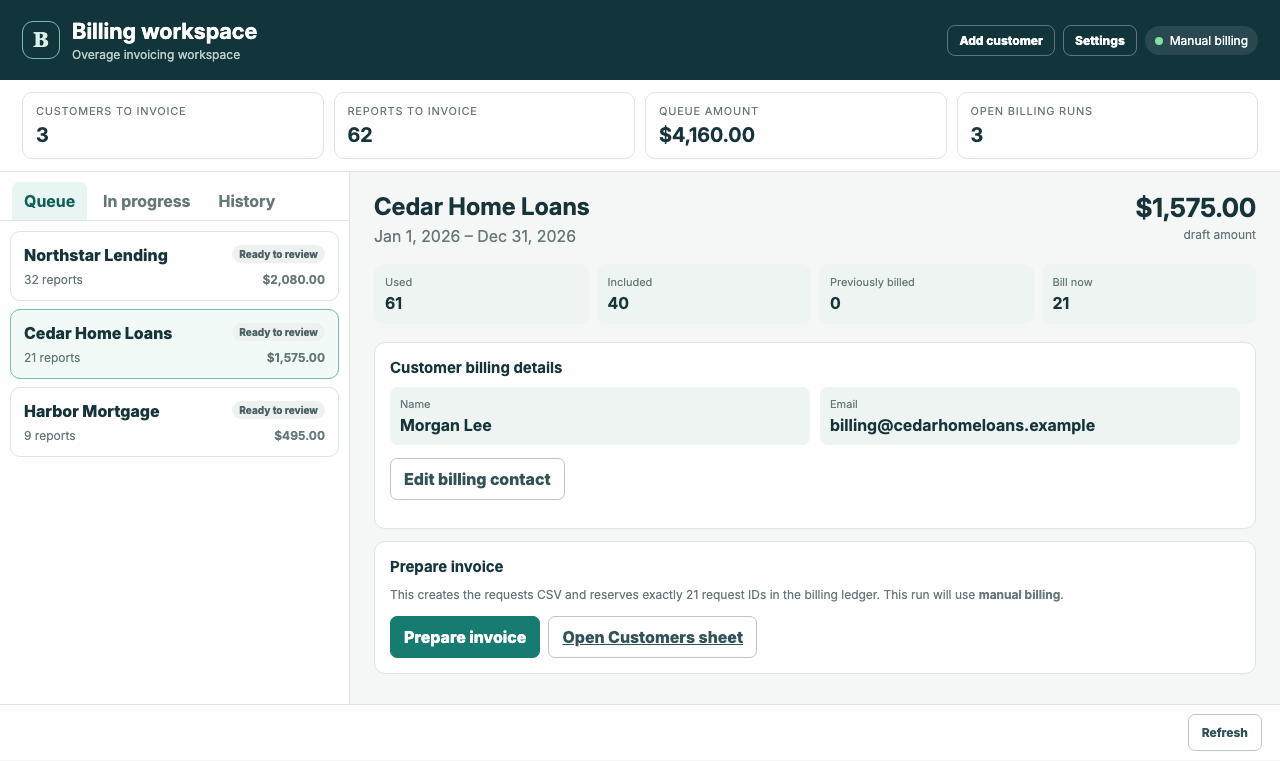
The mobile workspace.
View full-size screenshot →
The work
Product accounts and billing customers are not always the same. Explicit mappings connect them, while customer terms and included allowances determine which completed reports are eligible.
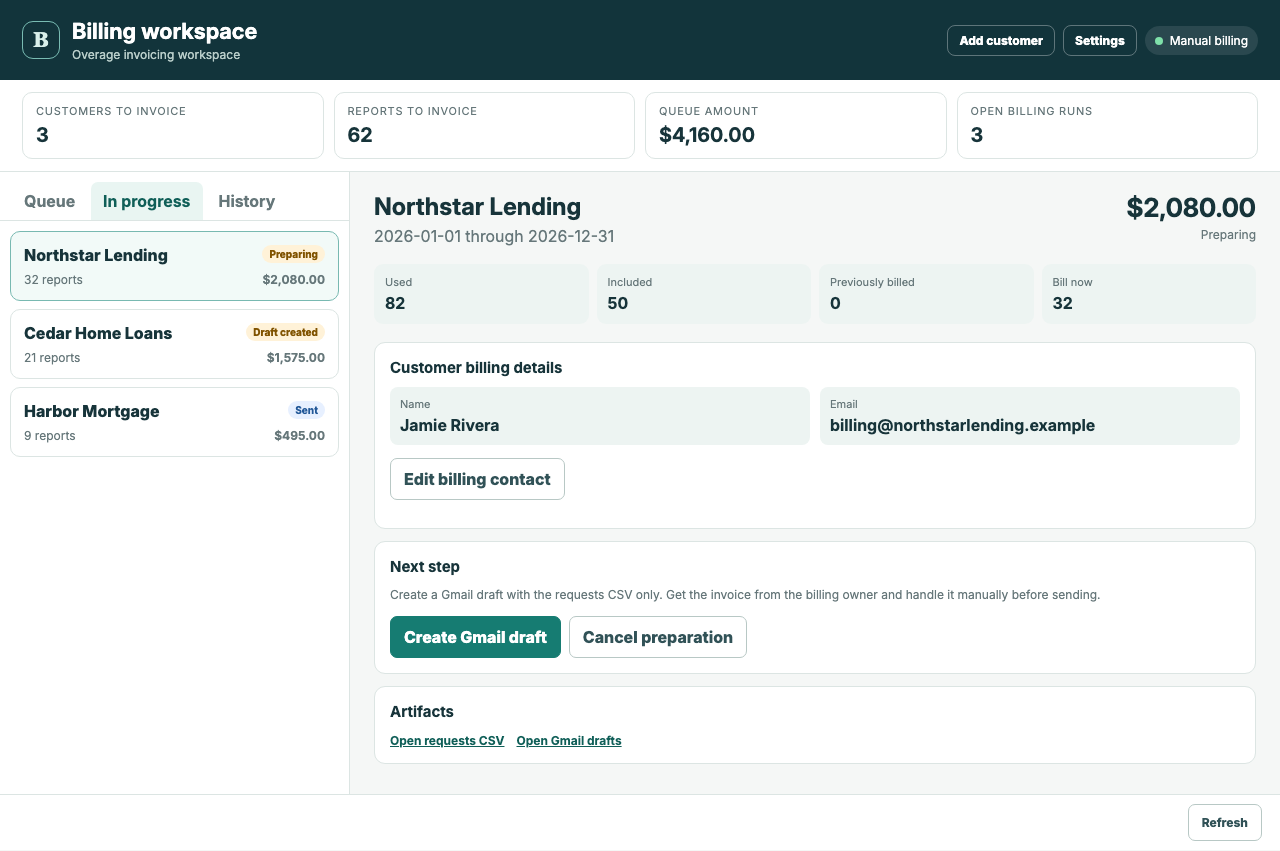
The customer view brings usage, allowances, contact details, and the proposed amount into the same review. Preparing a run checks the calculation again and reserves the exact supporting reports.
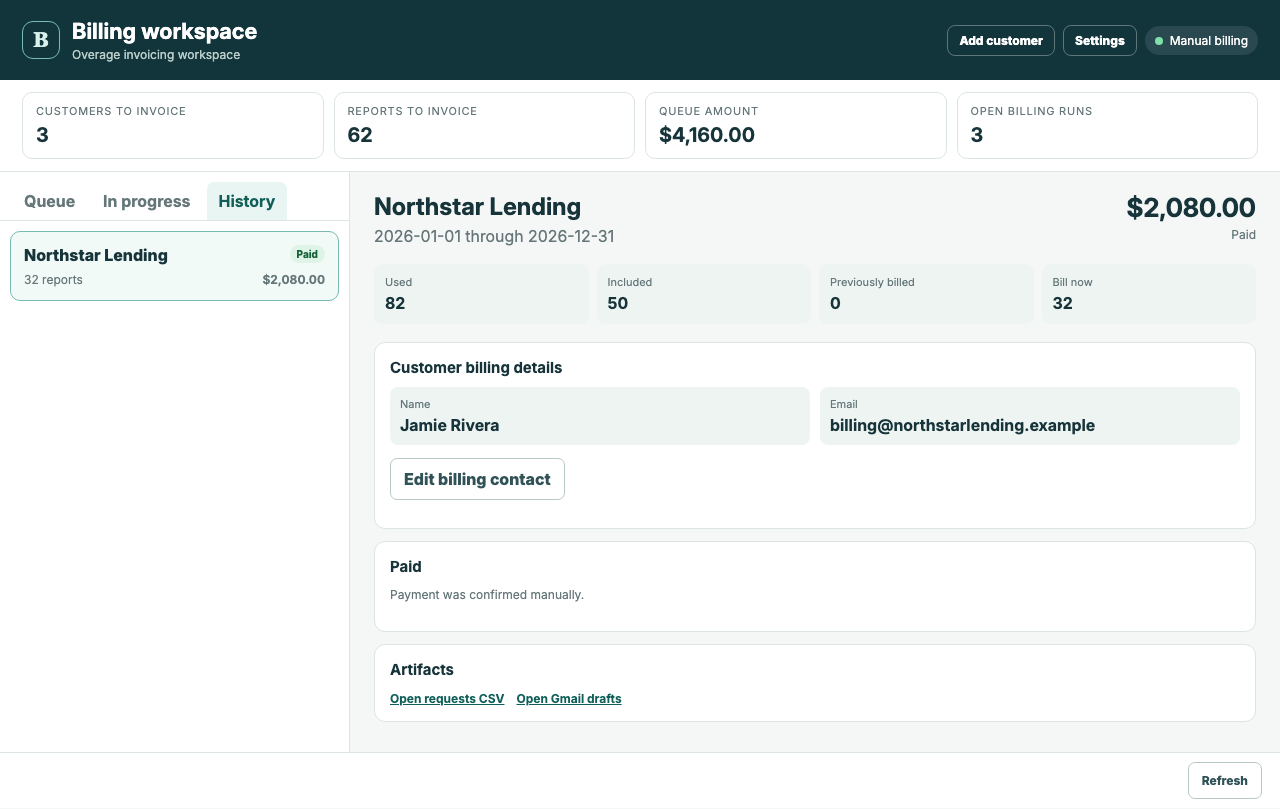
The interface gives the operator a clear next action for each run. A prepared file, an email draft, a sent message, and a confirmed payment remain different states with their own records.
What it provides
The workspace provides a billing queue, supporting usage records, and run history. In the current Manual mode, it prepares a CSV and a Gmail draft. The operator handles the invoice, reviews and sends the email, and records sent status and confirmed payment.
Customer terms and mappings remain available in the underlying workbook. The interface handles routine preparation while keeping the records available for inspection.
The application prepares the supporting work; the operator handles sending and payment confirmation.
Systems and responsibilities
A DigitalOcean publisher supplies a validated daily product snapshot. Google Sheets holds commercial inputs, calculations, and billing ledgers. Google Apps Script provides the operator interface and connects it to Drive and Gmail. Optional Xero integration supports invoice and payment actions when enabled.
Read-only product access supplies accounts and report requests. The daily publisher validates the snapshot before updating the workbook; a failed validation leaves the last verified snapshot in place.
Customer terms and explicit account mappings determine eligible usage. Billing Runs, Invoice Reports, and Billing Activity retain run state, report allocations, and the action history.
A custom modal presents the queue, customer details, in-progress runs, history, and settings. Preparation rechecks the calculation before reserving reports.
Drive holds the report CSV. In Manual mode, an operator action creates a Gmail draft with the CSV attached; the application does not send email.
When enabled, the integration supports draft invoices, explicit approval, invoice PDFs, accounting-status refresh, and payment recording. Xero actions are disabled in Manual mode.
Preparation revalidates the calculation and source revision before reserving report IDs. Billing Runs, Invoice Reports, and Billing Activity retain run state, allocations, and an append-only action history. A failed source validation leaves the last verified snapshot in place.
Billing preparation
Preparing a run checks the current calculation, creates a CSV of the billable reports, and reserves those report IDs against the run. In Manual mode, the next action creates a Gmail draft with the CSV attached. The operator handles the invoice, reviews the email, and sends it.

Billing history
After sending the email, the operator records that it was sent. In Manual mode, confirmed payment is recorded with its date and reference. Completed runs remain available in History, alongside the records of the reports allocated to them.

What are you working through?
hello@outermost.us